Gift idea 2.0 – for you and the people you love.
Your digital photo album on a pen or a card. Just tap or scan, and the memories are there.
The PhotoPen
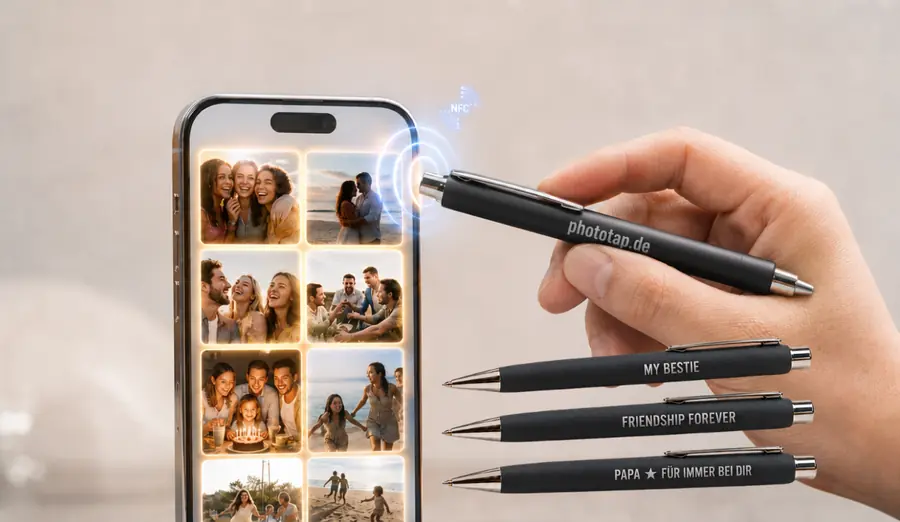
A pen you use every day – with your album behind it. Hold your phone against the pen and the photos are there. The gift idea: “My Bestie”, “Dad ★ always with you”. Give one away and you are giving more than a pen: the shared memories come with it.
The PhotoCard
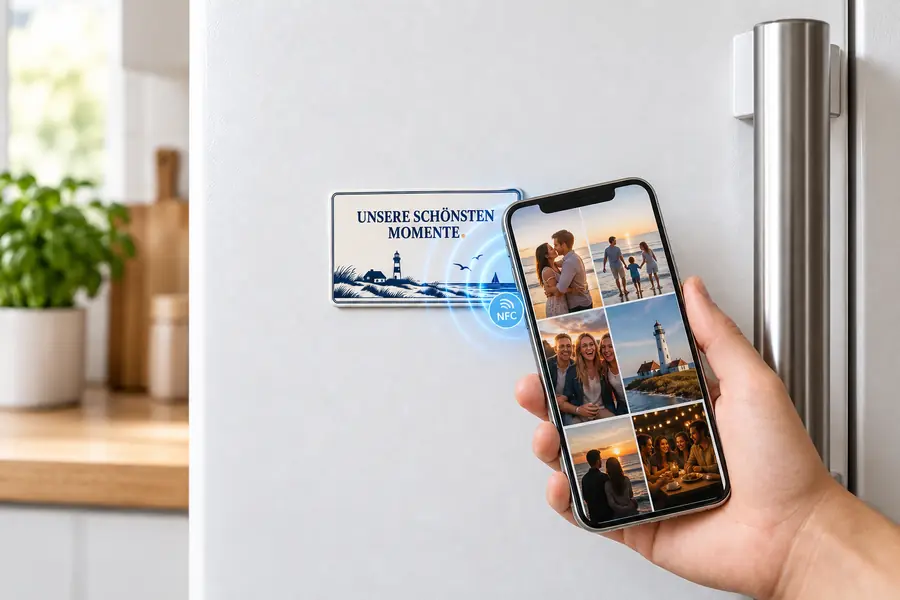
The size of a bank card, printed with your design – and a magnet on the back. One object, two places: in your wallet or in plain sight on the fridge door. Here too, one tap is all it takes.
How it works
Set it up once; a tap does the rest.
Hold your phone against it
Or scan the printed QR code – both lead to the same place. Not every phone does NFC, which is why the code is there too.
Choose a name and a PIN
Only the first time. The name is yours – “Mallorca 2026” or “Lisa turns 30”. You will need the PIN later to add photos.
Upload your photos
Straight from your phone – from your gallery or taken with the camera right there. Up to 100 pictures are included. From now on, every tap opens your album.
And best of all: you can fill it together
On holiday with friends, at a festival, celebrating a birthday? Pass on your link and your PIN – then everyone adds their best pictures to the same album. Everyone sees straight away what the others have contributed, and in the end the whole day sits in one place instead of spread across twelve phones.
And when something is happening right now, nobody has to go hunting through their gallery: one tap on “Upload” and the phone offers the camera as well. Take the photo, done – it is in the album. No app needed.
Why it is lovely
Photos disappear into the phone. A few hundred pictures somewhere between shopping lists and screenshots – almost never looked at again. And with the next phone they either come along or they do not.
An object, on the other hand, sits in plain sight. On the fridge door, in your wallet, in the pen pot. Nothing to search for – you hold your phone against it and the day is back.
What you use it for
An album that belongs to the occasion the pictures came from.
 Holiday
Two weeks, four hundred pictures. Instead of sinking into the phone they sit behind an object you see every day. One touch in passing, and you are back there.
 Family holiday
The children grow, the photos stay. And in a few years they will hold the phone against it themselves and see how it was back then.
 Birthday
The evening everyone talks about. The pictures in one place instead of scattered over twelve phones – and still there a year later.
 Parties and festivals
Three days you cannot repeat. Afterwards it is all in one place, and you do not have to chase anyone for their pictures.
This is what your album looks like
Tap a picture – then you see it large and can swipe through. Your own album will look exactly like this.






Your design
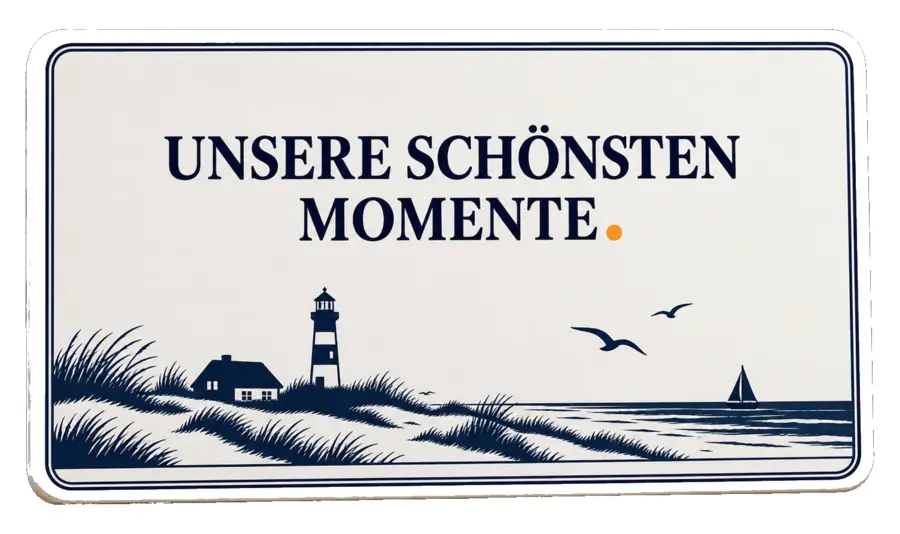
The print is entirely yours. Your photo, your colours, a line, a place – you decide what goes on it. And if you need a whole series, you can have one: for the souvenir shop, the hotel, the company party.
Common questions
Do I need an app?
No. It opens the browser you already have on your phone. There is nothing to install.
Do I need an account?
No sign-up, no email needed. A name for the album and a PIN are enough.
What does the photo storage cost?
Nothing extra. It belongs to the object – no subscription, no renewal, no bill afterwards.
How many photos fit?
Up to 100 pictures. They are resized automatically when you upload them, with nothing for you to do.
Can other people see my photos?
Only someone who knows the PIN. Without it the page shows nothing but the login.
Can several people add photos?
Yes – simply pass the PIN on. Anyone who has it can upload pictures and you all see the same album. Bear in mind: whoever can add can also delete. Fine for two people or the family, less so for a hall full of guests.
Do the pictures stay?
The pictures are not deleted after a few weeks. They stay for as long as you want to keep them.
Does it work with an iPhone?
Yes, with iPhone and Android. On an iPhone, hold the top edge against it. And if NFC will not play along, the QR code still works.
Where are the pictures kept?
On servers in the EU, under GDPR rules. They are not passed on, and certainly not sold.
Questions? Or ready to order?
Drop us a line – we will come back with everything you want to know: designs, quantities, prices.
Write to us